Actualisation


Captures d’écran iPhone


Captures d’écran iPad

Description
With Bills Organizer & Reminder you can say NO to late payment fees, penalties and low credit score! The main idea of the app is to give you tool that lets you track and manage all your bills in one place. Bills Organizer & Reminder has dashboard-style views that allow you quickly see approaching bills, and it sends payment reminders for upcoming bills before due date. Never miss bill payment and always pay all your bills on time!
Main app features:
- Different views: Upcoming Bills, Paid Bills, Accounts, Account Bills, Calendar View, Chart View, Settings, etc.
- App allows you create recurring bills with different billing periods (weekly, bi-weekly, semi-monthly, monthly, bi-monthly, quarterly etc.) and one time bills as well.
- Bills Organizer & Reminder sends payment reminders regardless whether the app is open or closed.
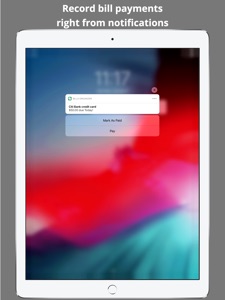
- Mark bill as paid from within notification without starting the app.
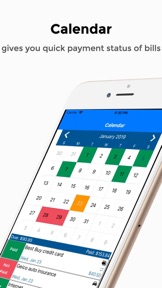
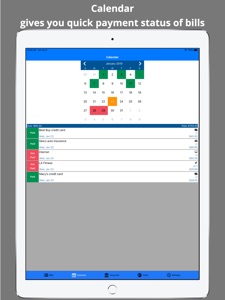
- Calendar gives you monthly view with payment statuses of bills.
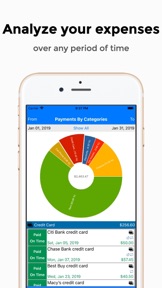
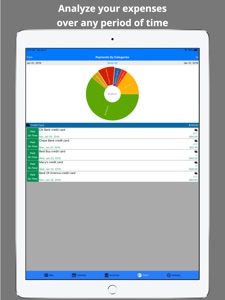
- Chart lets you analyze your spending over any period of time.
- Bills Organizer & Reminder synchronizes data across all your iOS devices.
- Secure access to the app with Passcode, Touch ID or Face ID of your device.
- App icon’s badge shows you number of upcoming bills.
- Accounts management.
- Bills Organizer & Reminder allows you to export all your bills into CSV file.
- When you create or update account enter website URL. And later when you record bill payment click Payment URL link on the bill’s payment page to easy navigate to website and pay your bill.
- Advanced bill editing capability lets you update selected bill and all future bills as well. If you accidentally mark bill as paid you can easily mark it as unpaid.
- Auto Pay Bill feature becomes really handy when you have automatically paid bill and want the app to automatically mark the bill as paid on the due date.
- Upcoming Bills view displays total amount of unpaid bills by month and week.
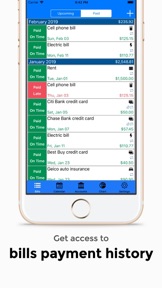
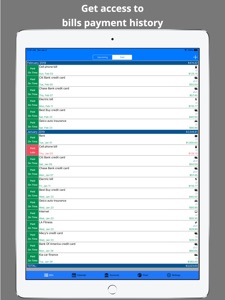
- Paid Bills view displays total amount of paid bills by month.
- Bills Organizer & Reminder gives you ability to manually backup and restore data from iCloud or your device, if you want to save snapshot of data at some given point in time.
- Customization of default options: reminder time, reminder start date, badge, currency, authentication, start screen, etc.
- Categories Management feature allows you to create, edit and remove categories.
- Record bill payments in Bills Organizer & Reminder app and see payments full history at any time.
- Add and track your income in the app.
- User friendly interface.
Please feel free to contact us at bills.organizer.kdvsolutions@gmail.com for any feedback, questions and new features request.
**********************************
- You get Bills Organizer & Reminder app with full set of features (not a trial/limited app) that lets you manage up to five accounts for free. If you need to create more accounts then you can buy one-time “Unlimited Accounts” ($2.99) feature within the app at any time.
- Bills Organizer & Reminder displays ads. To disable ads in the app you can buy one-time “No Ads” ($1.99) feature within the app at any time.
**********************************
Nouveautés de la version 1.2.23
Thank you for using Bills Organizer & Reminder!
We regularly make improvements to our app to give you the best possible experience.
In this release we implemented following:
- Now you can add and track your income in the app.
- User interface improvements.
- Bug fixes.
Informations
Éditeur
Catégories
Version
1.2.23
Taille
66,3 MB
Game Center
Non
VPP Device Licensing
Oui
Classement
Classification : 4+
Compatibilité
iOS 11.0 ou plus récent
Appareils
iPhone 5s, iPhone 6, iPhone 6 Plus, iPhone 6s, iPhone 6s Plus, iPhone SE, iPhone 7, iPhone 7 Plus, iPhone 8, iPhone 8 Plus, iPhone X, iPhone XR, iPhone XS, iPhone XS Max, iPhone 11, iPhone 11 Pro, iPhone 11 Pro Max, iPhone SE (2e génération), iPhone 12, iPhone 12 Pro, iPhone 12 Pro Max, iPhone 12 mini, iPad (5e génération) Wi-Fi, iPad (5e génération) Wi-Fi + Cellular, iPad (6e génération) Wi-Fi, iPad (6e génération) Wi-Fi + Cellular, iPad Pro, iPad mini 4 (Cellular), iPad Pro (9,7 pouces), iPad Pro (9,7 pouces) (Cellular), iPad Pro 12,9 pouces (2e génération), iPad Pro 12,9 pouces (2e génération) Wi-Fi + Cellular, iPad Pro (10,5 pouces), iPad Pro (10,5 pouces) Wi-Fi + Cellular, iPad Pro (11 pouces), iPad Pro (11 pouces) Wi-Fi + Cellular, iPad Pro 12,9 pouces (3e génération), iPad Pro 12,9 pouces (3e génération) Wi-Fi + Cellular, iPad Air, iPad Air (Cellular), iPad Air 2, iPad Air 2 (Cellular), iPad Air (3e génération), iPad Air (3e génération) Wi-Fi + Cellular, iPad mini Retina, iPad mini Retina (Cellular), iPad mini 3, iPad mini 3 (Cellular), iPad mini 4, iPad mini 4 (Cellular), iPad mini (5e génération), iPad mini (5e génération) Wi-Fi + Cellular, iPad (7e génération) Wi-Fi + Cellular, iPad Pro 11 pouces (2e génération), iPad Pro 11 pouces (2e génération) Wi-Fi + Cellular, iPad Pro 12,9 pouces (4e génération), iPad Pro 12,9 pouces (4e génération) Wi-Fi + Cellular, iPad Air (4e génération) (Wi-Fi), iPad Air (4e génération) (Wi-Fi + Cellular), iPad (8e génération) Wi-Fi, iPad (8e génération) Wi-Fi + Cellular, iPad ProFifthGen, iPad ProFifthGenCellular, iPad ProThirdGen, iPad ProThirdGenCellular, iPod touch (6e génération), iPod touch (7e génération)
Langues
anglais, espagnol, japonais, russe
App Store : Notes
Notes et avis
0,0 sur 5 (Pas de note)
App Store : Avis des utilisateurs
Pas d'entrée