Actualisation


±0
n°62 dans Top apps payantes pour iPad > Économie et entreprise
Captures d’écran iPhone

Captures d’écran iPad
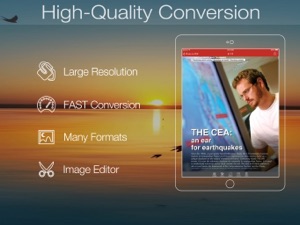
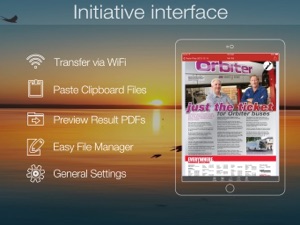
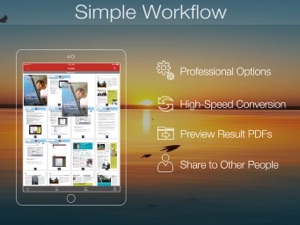
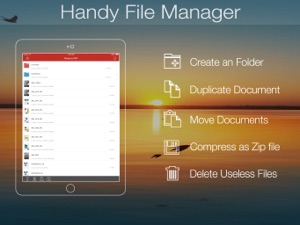
Description
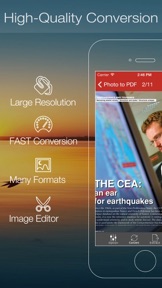
Photo to PDF Converter is an ultimate application that lets your create PDF files from scan photos in camera roll or other image file formats, including jpg, png, bmp, tiff, gif etc.
(Note: Scan to PDF is supported too. Current version doesn't support OCR).
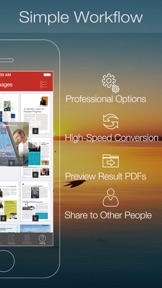
Making PDF files from photos in camera album is super easy, It takes only 2 steps to get things done, You can quickly add unlimited import photos into the app, and touch convert button, this small app starts making PDF file for you.
With build-in PDF Merger, you can merge multiple image or PDF files into one single PDF file, modify the meta data of the documents, encrypt PDF files with open password and restrictions.
"Very use full application, Function is very powerful, Support multiple picture formats, conversation effects is very good, very useful" by lvhgzzus - Oct 20, 2011
"Awesome app, Why have an scanner when u have ur iPhone, Take a pic convert to PDF. Change the name and send. That easy!! U can combine photos of its more than one page" by Lovedoc47 - May 27, 2012
"Saved my time and time is priceless, killer what what i need to do business on the road" by jcsfurbie - Feb 26, 2013
== More Features ==
• Easily import multiple images where from iPhone/iPad camera roll or Mac/Windows computer.
• Various paper sizes including Letter, A3, A4, A5, B4, Business Card, Legal and Ledger papers.
• Adjust quality & large image DPI output.
• Photos Thumbnail displaying, Batch process unlimited imported images.
• Support encrypted PDF files conversion(Unlock copying or printing restrictions without any problems).
• Fast and efficient, it takes only a few seconds to create a 100 page PDF file.
• Build in PDF Editor(Add, reorder, delete and exporting photo pages).
• Mail out Image as email attachments("Mail out.." integration).
• Send files to other apps("Open In.." integration).
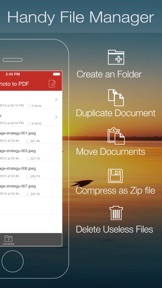
• Share and Compress image files to .zip file.
• Save JPEG into Camera Album by on click.
• File manager(Support rename, copy, move, delete and compress).
• Copy/Paste file with Clipboard(Transfer with other Apps).
• Wirelessly Print&Fax Photos(Only AirPrint-enabled Printer Supported).
• Wifi file transfer(Transfer by Browser or Webdav Clients).
• USB file transfer(iTunes file sharing).
You can edit the meta data of the PDF, such as title, subject, author, subject or keywords.
(Tips: Encrypt PDF files and modify meta data are available when Merging into one PDF.)
You can add open password, or even printing and copying restrictions. So no one can get access to your document without permission.
Got lots of images from scanner? Want to keep your photos or graphical materials in PDF?
Just download this app, you can create a single PDF file from multiple images easily and efficiently.
(Note: If you want extract images from PDF, You can checkout our PDF to JPEG app.)
Several PDF Sample files have been included, you can test it right now!
Any questions, suggestions and problems please let us know.
We will reply ASSP, and continue to update.
Nouveautés de la version 4.0.2
> Import files from other App directly.
> General performance and stability improvements.
> Numerous bug fixes and improvements.
Vendeur
Nom
xu jianwei
Informations
Éditeur
Catégories
Version
4.0.2
Taille
7,3 MB
Game Center
Non
VPP Device Licensing
Oui
Classement
Classification : 4+
Compatibilité
iOS 9.0 ou plus récent
Appareils
iPhone 11 Pro Max, iPad Air 2 (Cellular), iPad mini Retina (Cellular), iPad Pro (11 pouces), iPad (5e génération) Wi-Fi, iPad (6e génération) Wi-Fi, iPod touch (6e génération), iPad Pro (11 pouces) Wi-Fi + Cellular, iPad (6e génération) Wi-Fi + Cellular, iPad Pro 12,9 pouces (3e génération), iPad (5e génération) Wi-Fi + Cellular, iPad mini (5e génération) Wi-Fi + Cellular, iPad mini (5e génération), iPad Pro, iPad mini 3, iPad mini 4 (Cellular), iPad mini 4, iPhone 11, iPod touch (7e génération), iPad mini 3 (Cellular), iPad Air, iPad Air 2, iPad Pro 12,9 pouces (2e génération), iPad mini 4 (Cellular), iPad Pro (9,7 pouces) (Cellular), iPad Pro (10,5 pouces) Wi-Fi + Cellular, iPad Pro (9,7 pouces), iPad mini Retina, iPad Air (Cellular), iPad Air (3e génération) Wi-Fi + Cellular, iPhone 6 Plus, iPad Air (3e génération), iPad Pro (10,5 pouces), iPad Pro 12,9 pouces (2e génération) Wi-Fi + Cellular, iPhone 6, iPhone XR, iPhone XS, iPhone 6s, iPhone SE, iPhone 7 Plus, iPhone 6s Plus, iPhone 5s, iPhone X, iPhone 8, iPhone XS Max, iPhone 8 Plus, iPhone 7, iPhone 5, iPad (7e génération) Wi-Fi, iPhone 5c, iPad (7e génération) Wi-Fi + Cellular, iPad Air3, iPad Air3Cellular, iPad Mini5, iPad Mini5Cellular, iPhone 11 Pro, iPad Pro 12,9 pouces (3e génération) Wi-Fi + Cellular, Watch4
Langues
anglais
App Store : Notes
Notes et avis
0,0 sur 5 (Pas de note)
App Store : Avis des utilisateurs
Pas d'entrée